In clinic
Face-to-face EMDR BLS in the room
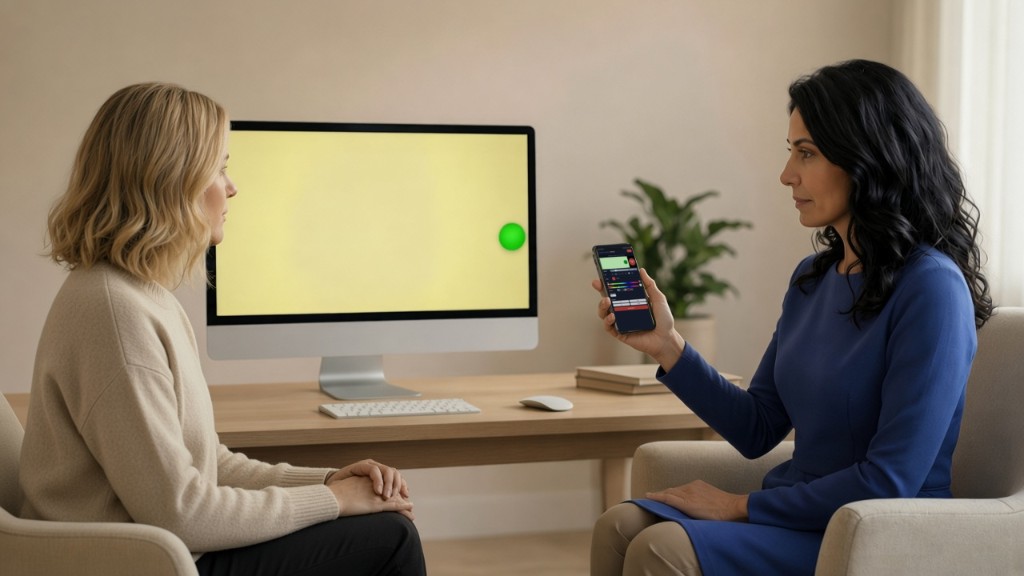
When you and your client are together, you do not need a video call. Open Face-to-face display on their screen and Face-to-face controller on your phone — same login, same BLS tools as online, included with your account at no extra subscription.
Two pages, one session
- Face-to-face display — Full-screen BLS on a laptop, monitor, or tablet the client can see. Nothing else on that screen during the set.
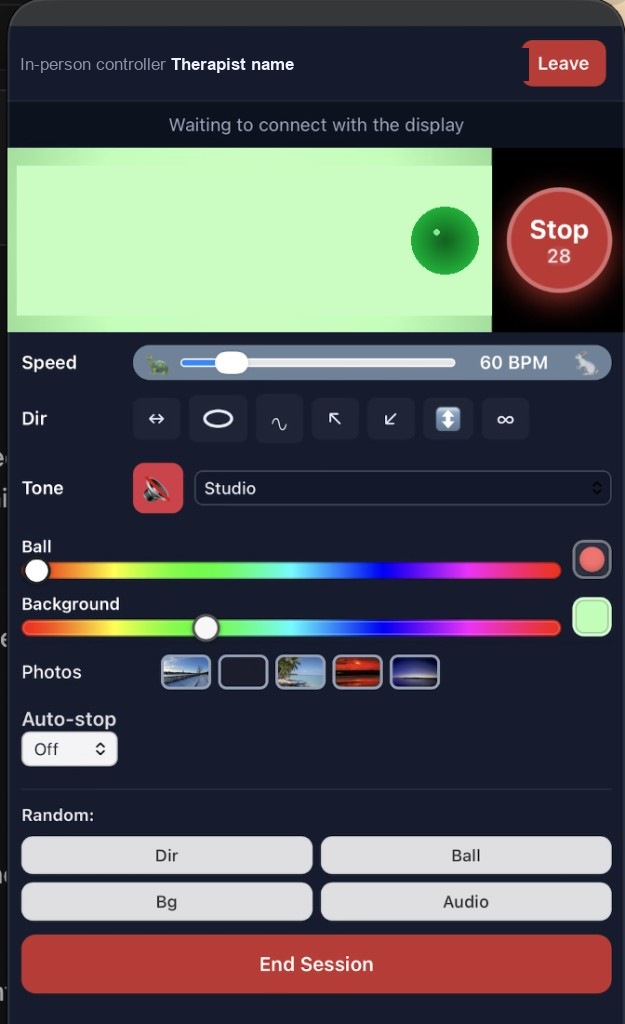
- Face-to-face controller — Your phone (or a second device) with Start, Stop, speed, pattern, colour, and the same options you use in remote BLS mode.
Both devices use your therapist sign-in. Pair them with the room code from your dashboard — the same code you use for remote waiting-room sessions.
How a typical in-room set runs
- Sign in — On the display computer and on your phone, sign in to EMDR Matters and confirm your room code on the dashboard (or use the face-to-face entry from session home).
- Open display and controller — Launch Face-to-face display on the client screen and Face-to-face controller on your phone. Wait until both show they are connected to the same room.
- Clinical work as usual — Preparation and rapport happen in the room; there is no built-in video call in this mode.
- Start BLS — Press Start on your phone. The client sees the animation on the display. Change speed, pattern, or colour during the set if you need to.
- Stop and end — Stop returns the display to a calm idle state. End session on either device when you are finished so both return to the dashboard.
Optional tappers on the display computer
If you use tactile bilateral stimulation, Tap USB or BLE tappers can connect on the machine running Face-to-face display (Chrome or Edge). Your phone still controls when sets start and stop.
Included free
Face-to-face BLS is free on the same account as your waiting room. You do not need a subscription for in-clinic use. Online video is free for 14 days from your first sign-in, then a subscription. Donations are always welcome either way.
Practice the controls first
From the dashboard, choose Face to face and tap Try demo for a short walkthrough with the same pictures as the home page, plus buttons to open display and controller. Online video rehearsal is under Online → Try demo.