Bilateral stimulation
EMDR BLS online vs screen sharing
Many clinicians start remote EMDR by screen-sharing a moving ball in Zoom, Teams, or Meet. That works in a pinch — but video compression often makes fast motion look jerky, which undermines smooth eye tracking.
The screen-share problem
Screen sharing is optimised for documents and talking heads, not for a small object moving quickly across the frame. Encoding drops frames and softens edges. Clients may see stutter, lag, or a blurry path — especially on slower connections or phones.
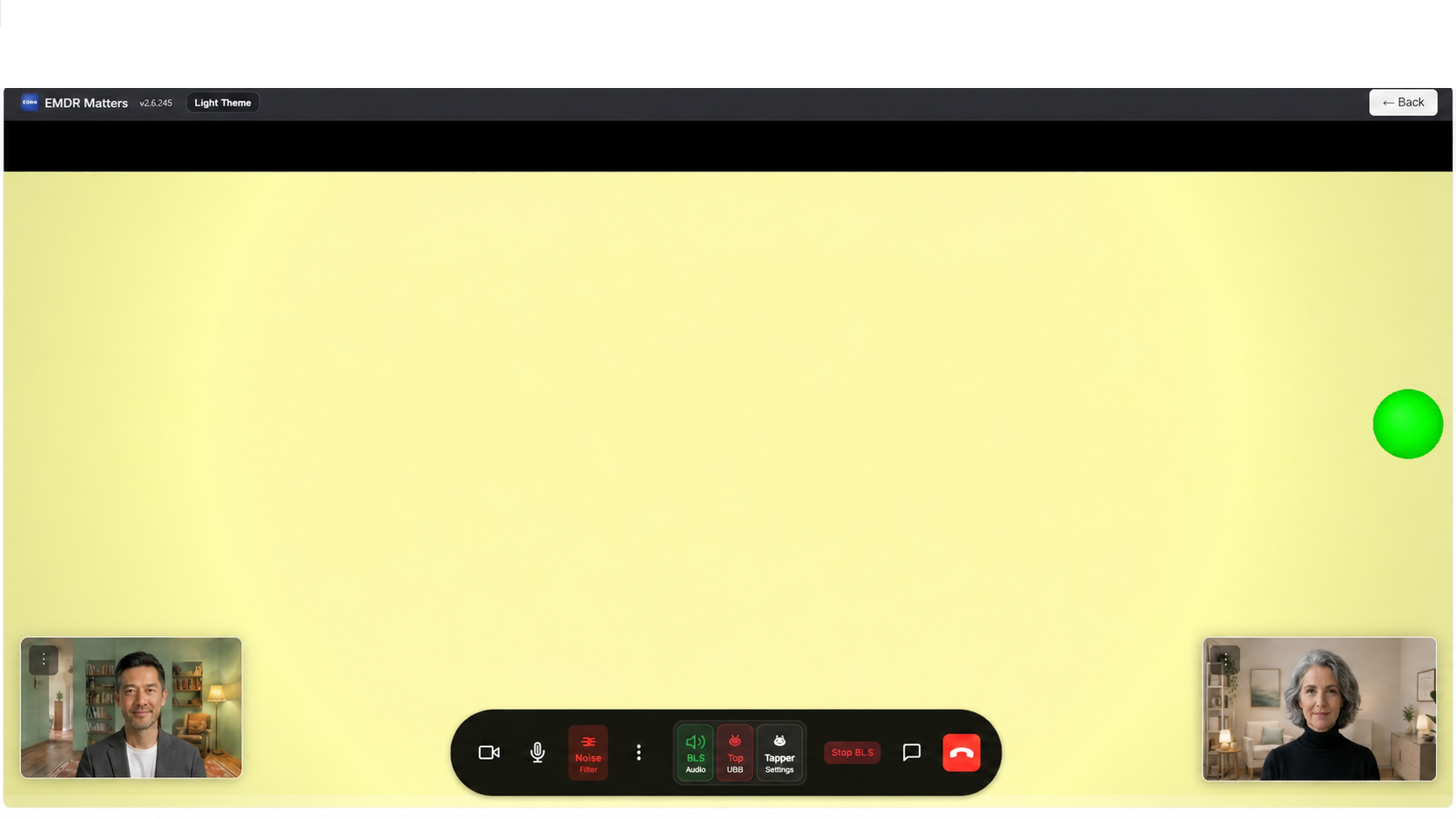
How EMDR Matters differs
- Client-side rendering — visual BLS and bilateral audio play locally on the client’s browser.
- Therapist control — you set speed, pattern, colours, and when sets start or stop.
- Video stays for rapport — you can keep face-to-face presence without relying on the shared desktop for the stimulus.
- One app — no second window to find, share, and stop between sets.
When screen share still happens
Some clinicians keep a familiar video platform for non-EMDR work and use a dedicated tool only for BLS. EMDR Matters is built so video and BLS live in one session flow instead — waiting room, video mode, then BLS mode when you are ready.